20 CHARACTERS
Full cadastral reference
Also called RC20: it identifies one exact property, including a specific flat.
How to identify a property
A parcel is not always a home. Hogarfax guides you differently depending on whether you are analysing a house or plot, or a specific flat inside a building.
Start with what you have
20 CHARACTERS
Full cadastral reference
Also called RC20: it identifies one exact property, including a specific flat.
14 CHARACTERS
Parcel cadastral reference
Also called RC14: it locates the parcel, but a building may contain several homes.
ADDRESS
Street + number + town
Wait for the suggestions and click the closest match before continuing.
STREET
Visual parcel search
Press Enter and use the cadastral viewer to click the parcel you want.
For a detached house, rural property or plot, the parcel normally identifies what you want to analyse. You can enter its full 20-character cadastral reference, its first 14 parcel characters, or search by location.
A 20-character cadastral reference goes directly to the exact propertyFor a house or plot there is no unit-selection step. Enter a full RC20, an RC14, or keep street and number together and add the municipality. Wait for the official suggestions and click the best match.
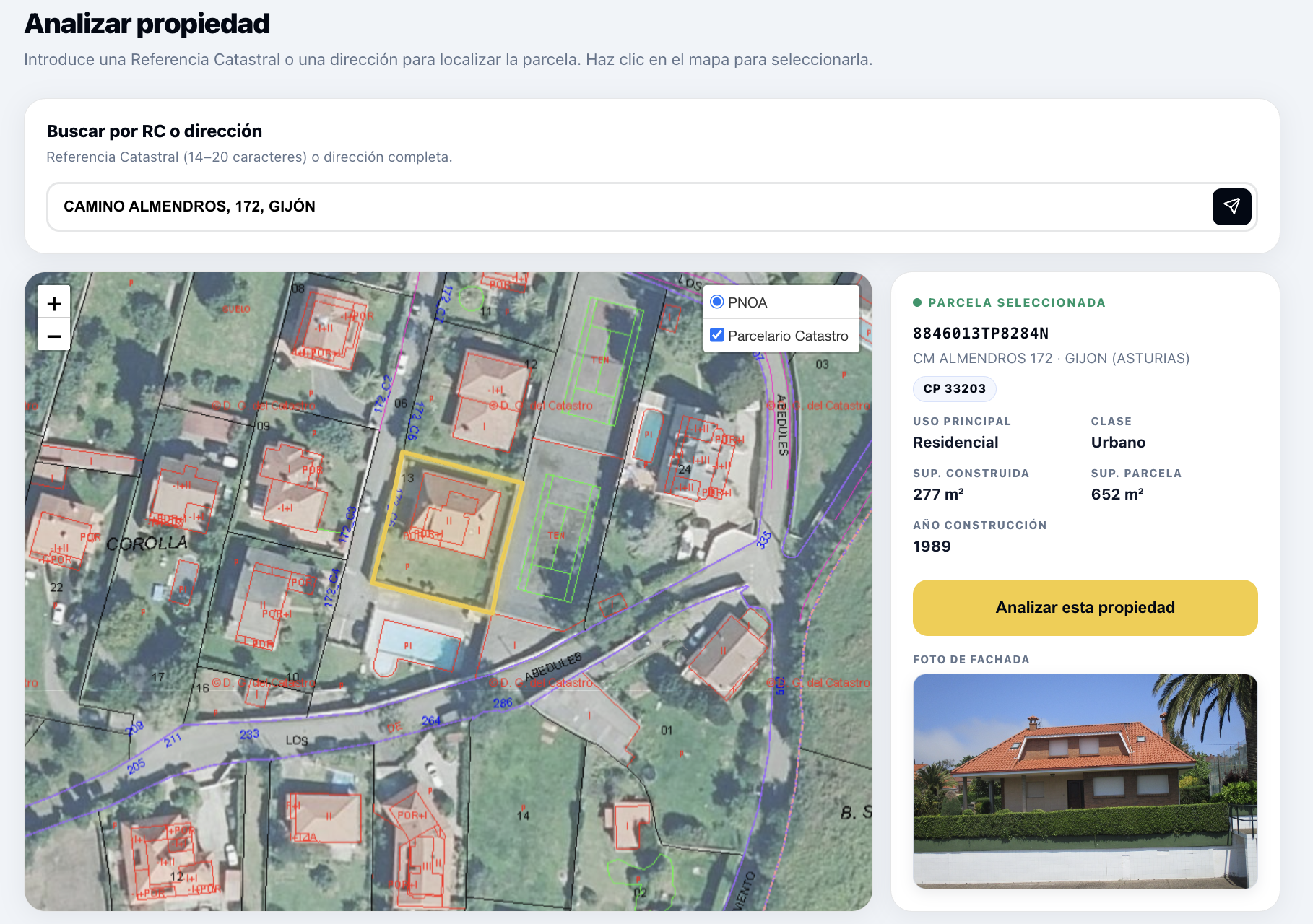
Once the correct parcel or property is selected, Hogarfax can generate the analysis.
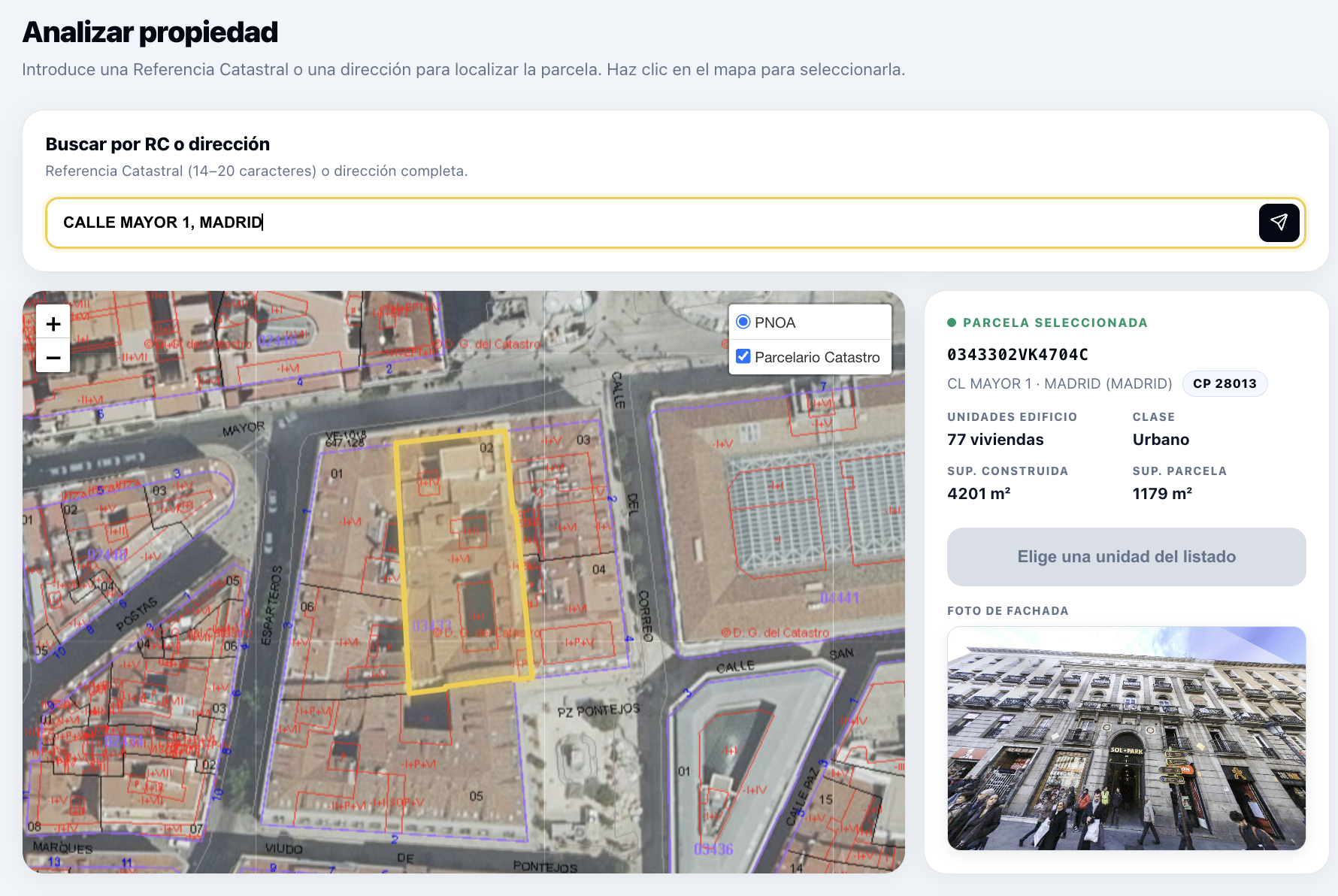
A flat or apartment is one cadastral property inside a larger building. Finding the parcel is only the first half: you must identify the specific unit you want to analyse.
A full 20-character cadastral reference identifies the unit directlyIf you have the full 20-character cadastral reference, enter it to go straight to the flat. Otherwise search using street, number and municipality, wait for suggestions and choose the correct building.
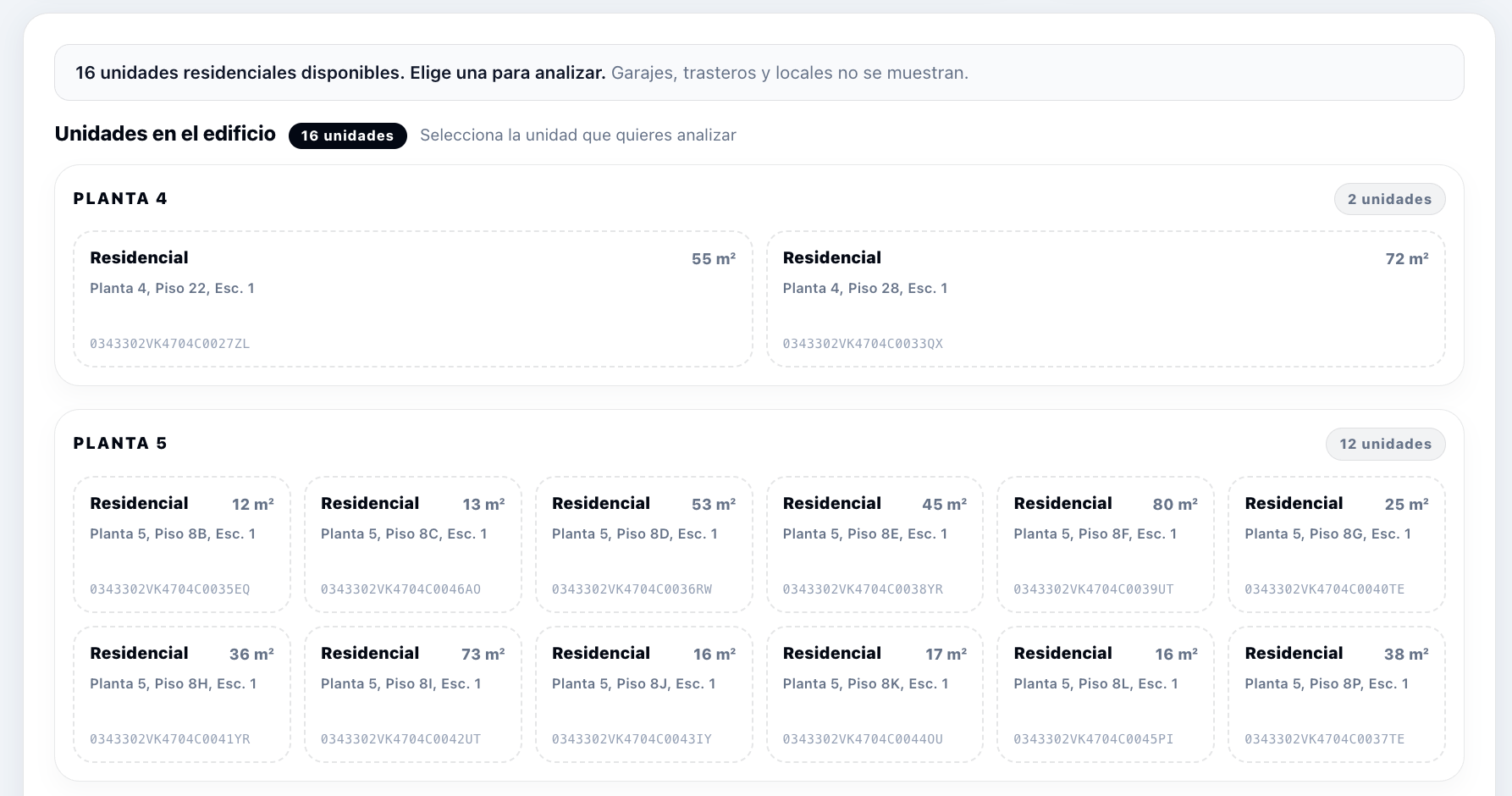
Hogarfax filters the lower panel so that only residential units are shown; garages, storage rooms and commercial premises are excluded. Review the floor, door and registered surface, then select the unit that corresponds to the flat or apartment you need.
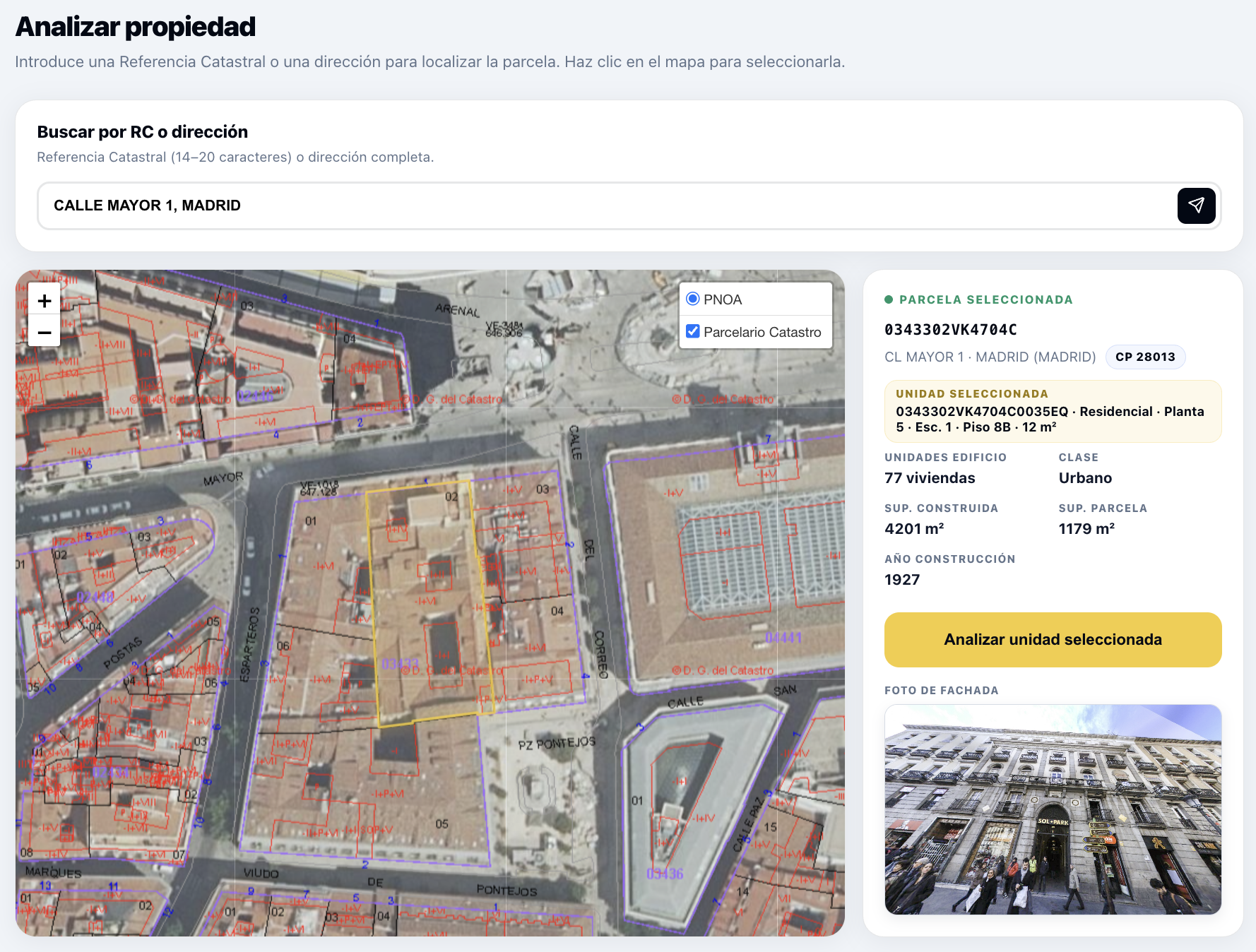
After clicking a unit, its full 20-character cadastral reference, use, floor, door and surface appear as the selected unit. Check that they match the home you need and click Analyse selected unit.
Check that the floor, door and surface match. Then click “Analyse property”.
Quick answers
The first 14 characters identify the cadastral parcel. The full 20-character reference identifies a specific cadastral property. In a detached house they may effectively lead to the same asset; in a block of flats, the last six characters distinguish each unit.
Enter street plus number and municipality separately and wait for all suggestions. If none fits, press Enter to open the visual cadastral viewer and select the desired parcel directly on the map.
Yes. Enter the street and municipality, press Enter and use the dynamic viewer to move through the area and click the correct parcel.
No. The lower panel is filtered so that only residential units are shown. Those homes are then grouped and ordered by building floor to make it easier to identify the correct one.
Enter the address or cadastral reference, confirm the parcel or unit and click “Analyse property”.
Find a propertyWhile you read the sample
Enter the address and check its risks for free: flood zone, wildfire, radon and what the Cadastre says.
4.5 on Trustpilot